
Welcome to the official user manual for DRT.fm. This guide covers everything you need to know about mastering AI roleplay, creating your dream characters, and generating high-quality images.
1. Getting Started
DRT.fm is an unrestricted AI platform designed for immersive roleplay, focusing on Futanari, Trans, and LGBTQ+ identities. Unlike other platforms, we do not filter consensual adult themes.
Free vs. Pro Accounts
Guest/Free: You receive a set amount of daily message credits and basic access to image generation and character creation. Your credits replenish every 24 hours.
Pro Subscription: Unlocks the full experience:
- Unlimited chatting.
- Faster response times.
- More personas.
- All chat modes.
- Advanced Memory (the bot remembers far more of your conversation).
- Monthly Tokens for high-quality voice and image generation.
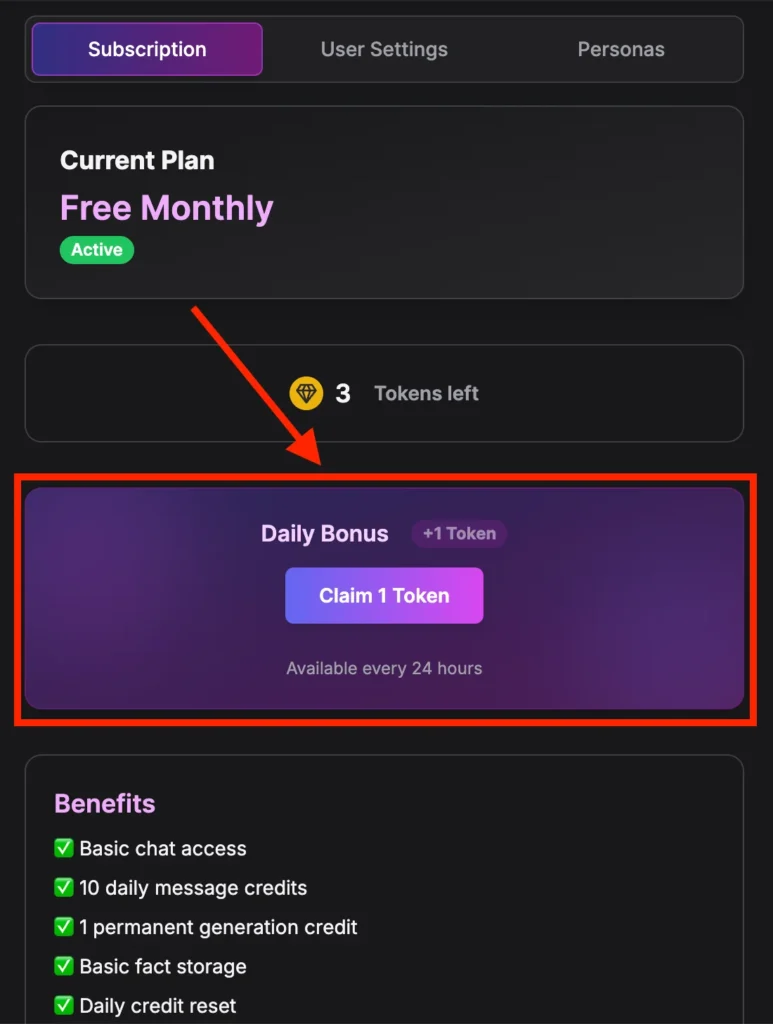
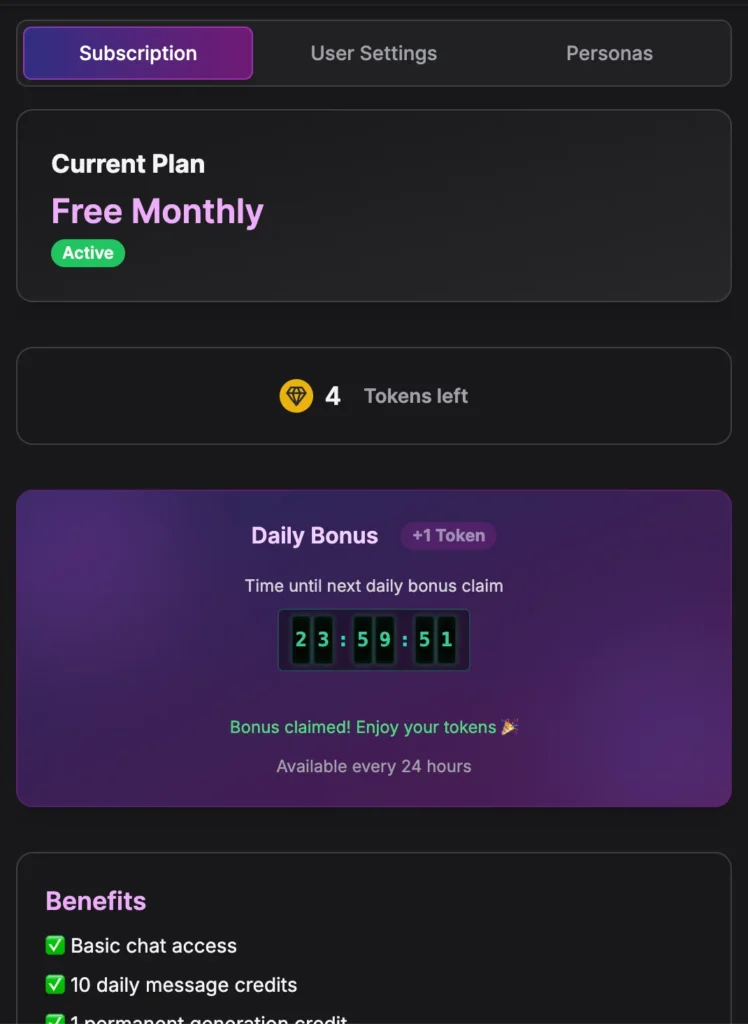
🎁 How to Claim Free Daily Tokens
Even on a free account, you can earn extra tokens every day to use for Image Generation or Character Creation.
Where to find it:
- Go to Settings (the gear icon ⚙️).
- Click the Subscription tab.
- Look for the Daily Bonus card.
2. Master the Chat
The chat interface is where the magic happens. You can control the tone, your identity, and what the character remembers.
A. Chat Modes (Tone & Pacing)
You can change the “Vibe” of the conversation at any time. This changes how the AI replies, but it does not delete your message history.
To change modes: Click the Chat Mode icon in the top bar.
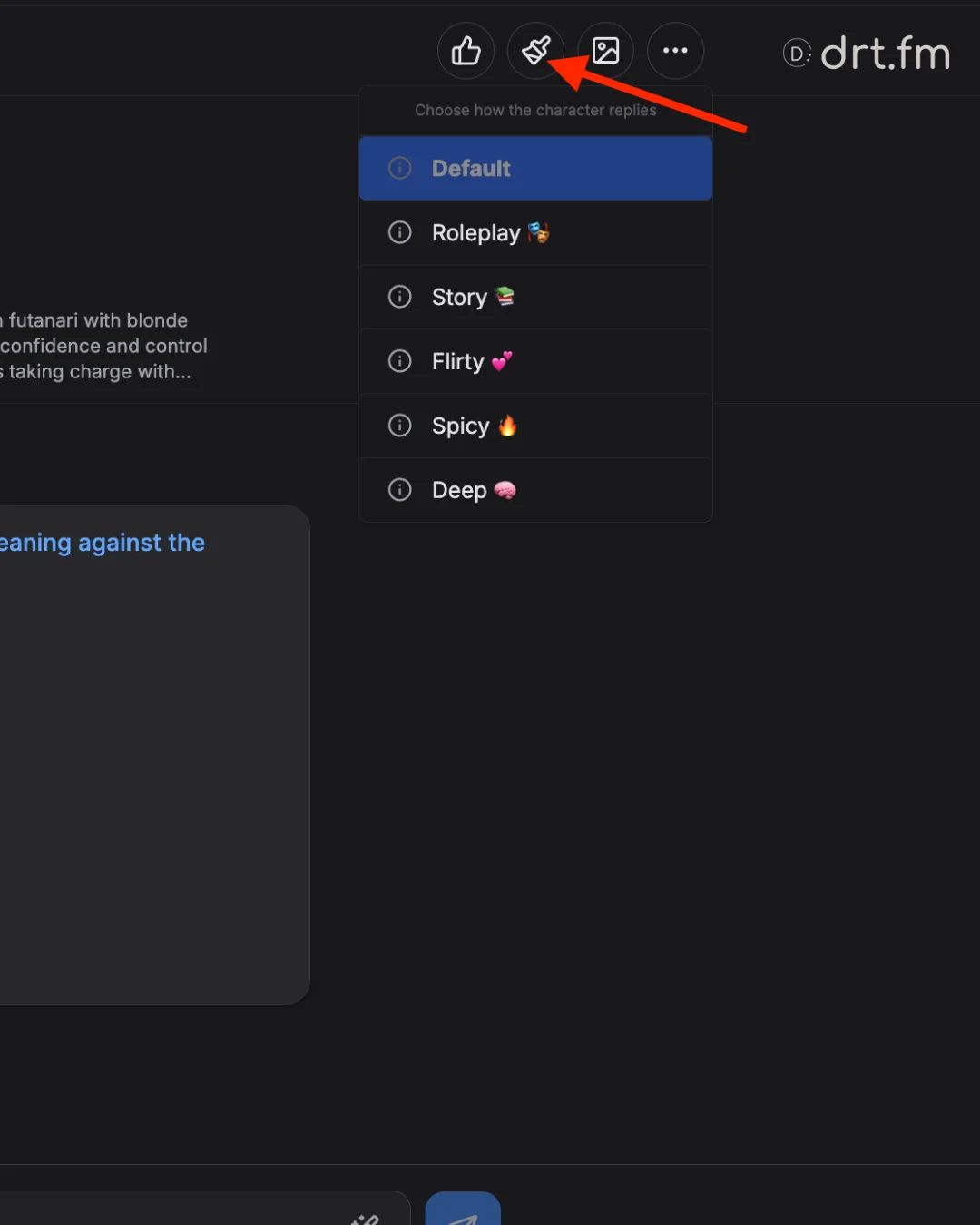
You can choose from 6 different chat modes with a Pro account.
- Default – Following the character’s baseline personality naturally.
- Roleplay – “You-focused” POV. Great for action beats and interaction.
- Story – More detail and longer descriptions. Reads like a novel scene.
- Flirty – Romantic teasing and suggestive content (Non-Explicit).
- Spicy – Explicit NSFW content; ramps up the heat quickly.
- Deep – Longer, smarter responses with multilingual capabilities.
FAQs
- Will switching modes change previous messages? No. It only affects replies moving forward.
- Is NSFW a separate toggle? No. Use Spicy for explicit content, or Flirty for suggestive fun.
B. User Personas
Your Persona determines who you are in the story. It tells the character your name, gender, and specific traits.
- How to Change: Click … (More actions) → Change Persona.
- Highlights: Add 1-2 sentences to define your vibe (e.g., “Sarcastic best friend,” “Dominant partner,” “Shy student”).
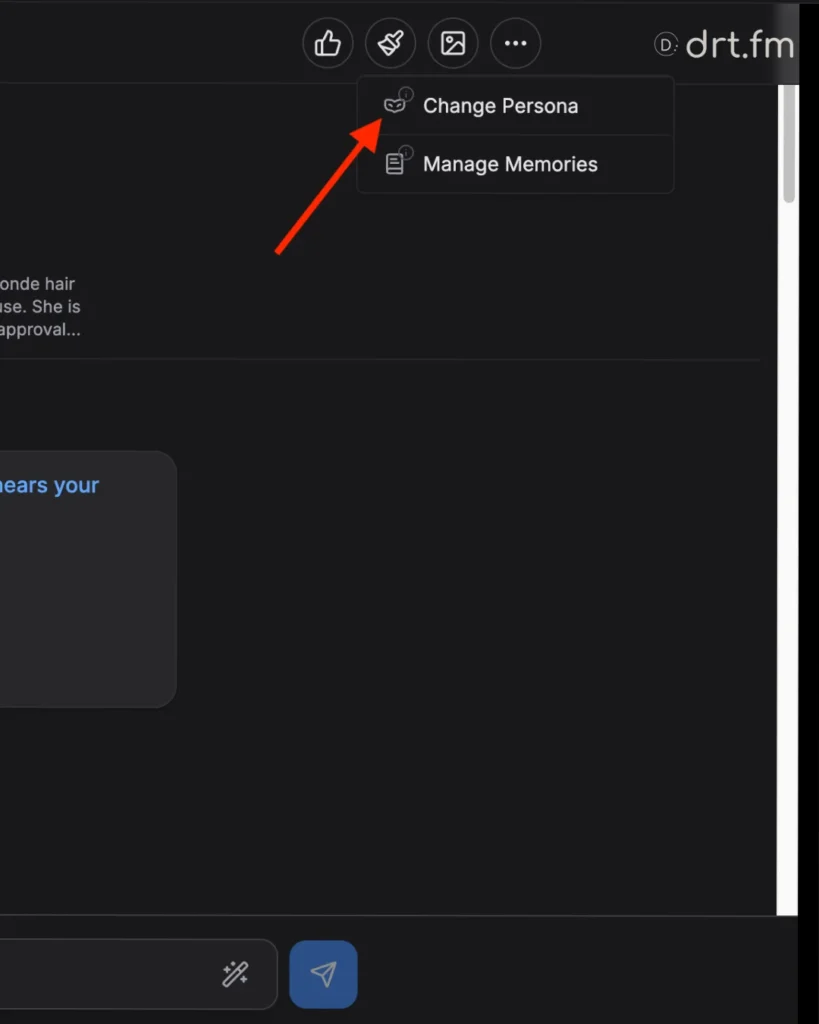
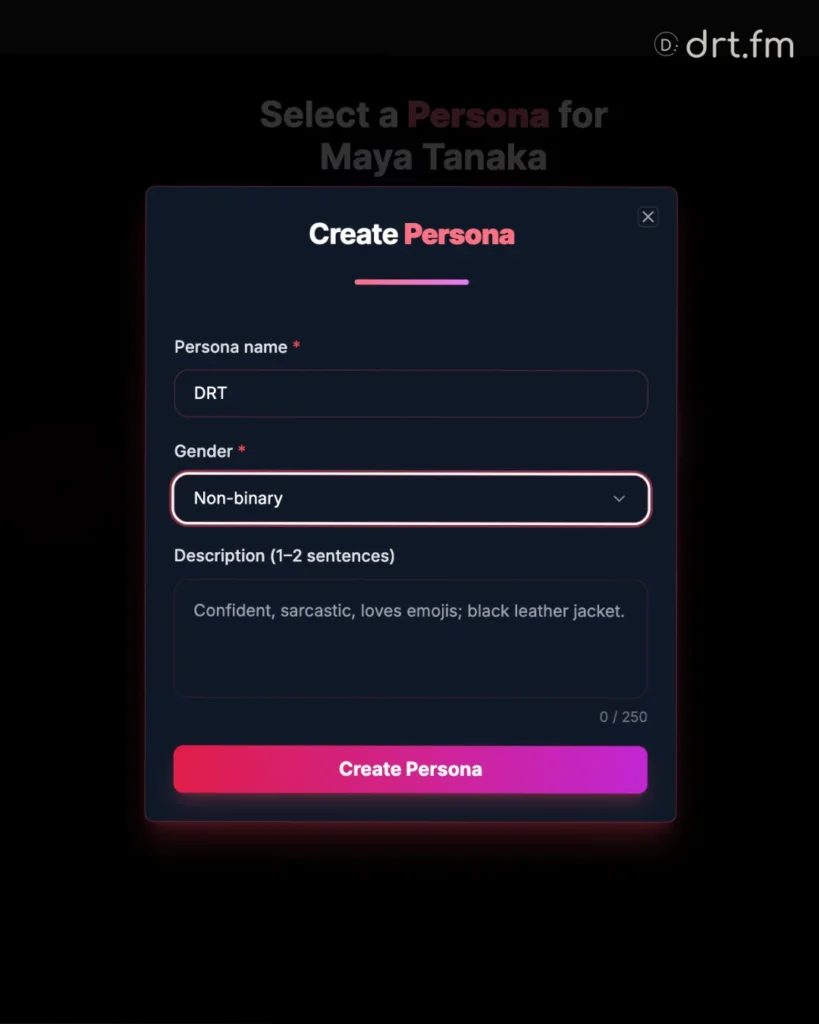
Pro Tip: You can create multiple personas and switch between them for different chats.
C. The Memory System
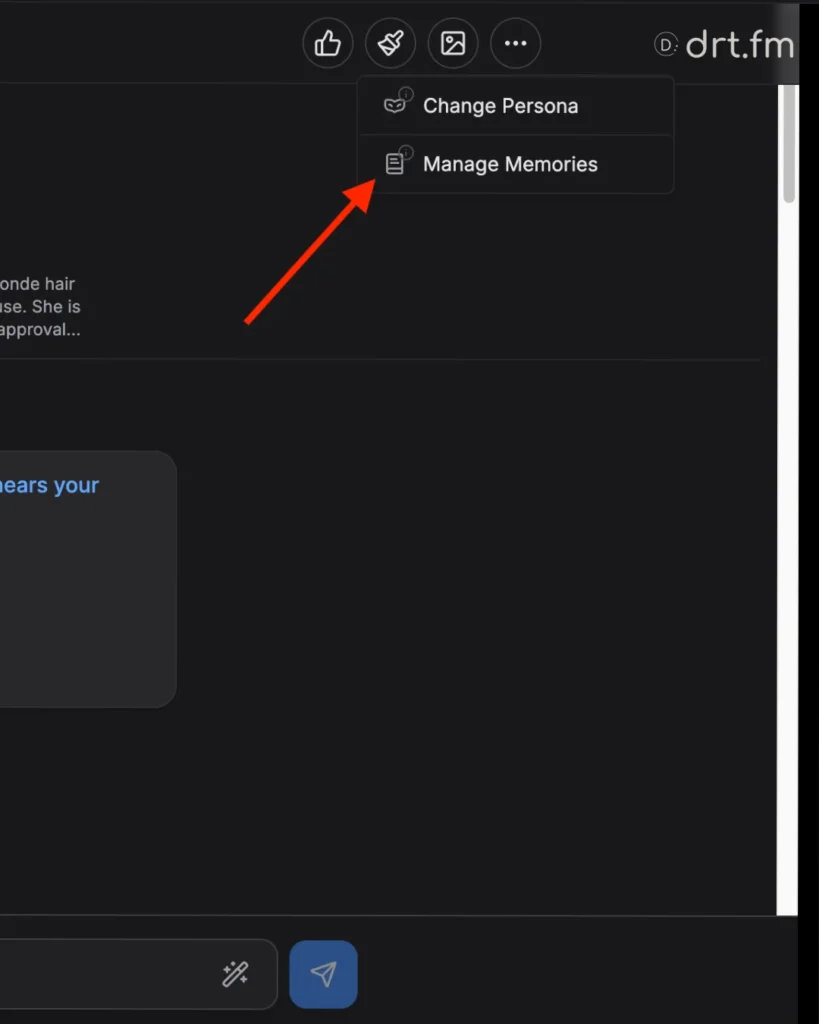
DRT characters have persistent memory. They remember facts about you to keep the conversation consistent. You can view and edit these at any time via … (More actions) → Manage Memories.
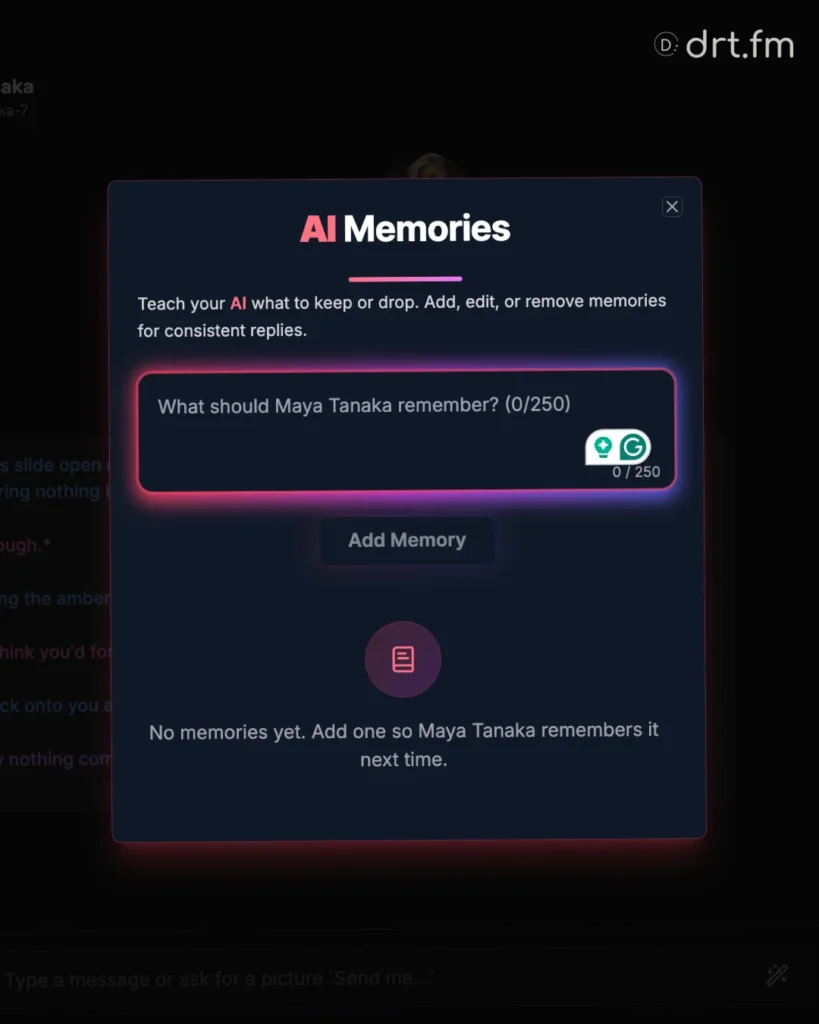
Types of Memories
Pinned by You: Facts you manually typed in (e.g., “I dislike public spaces”). You can Edit or Delete these.
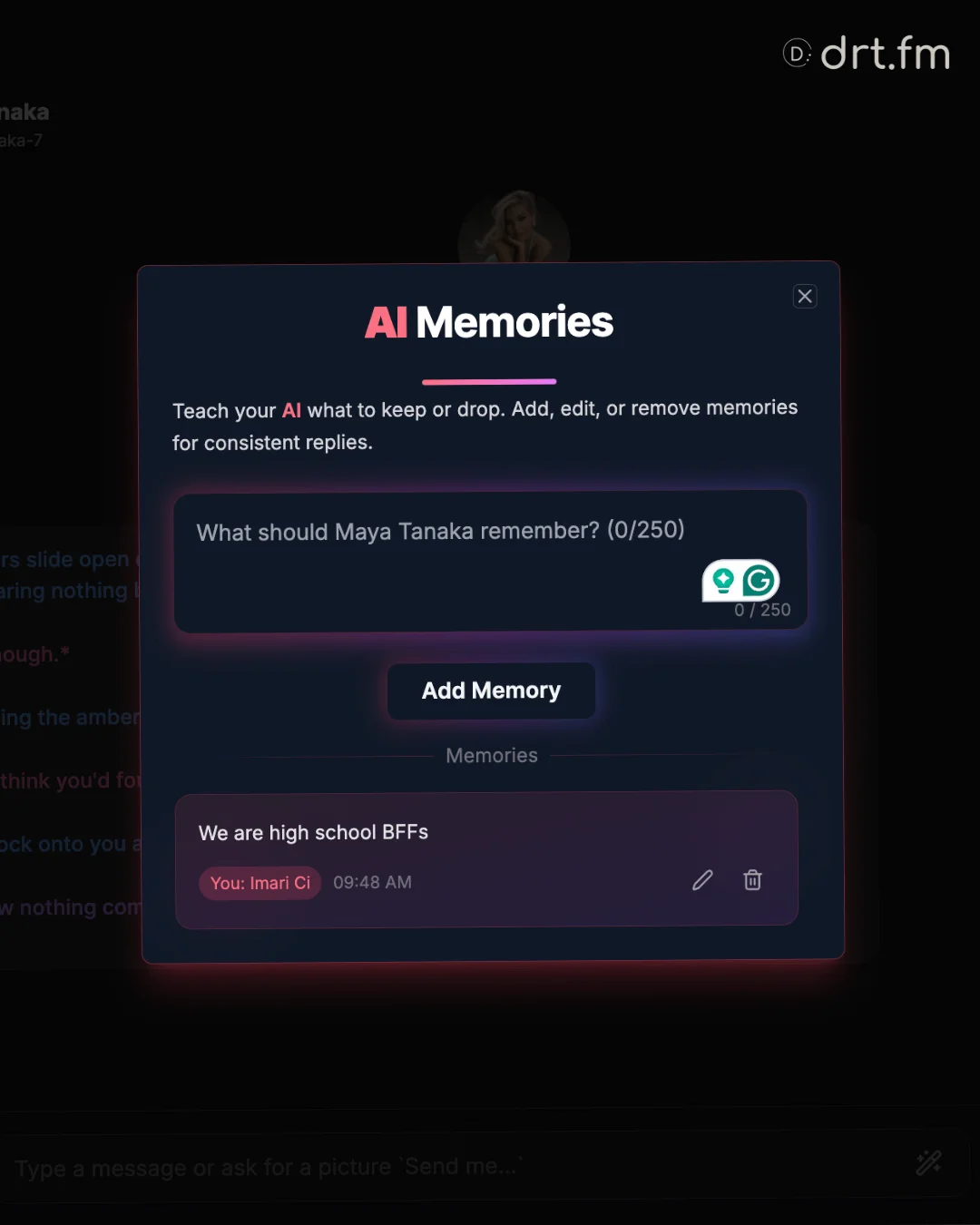
Auto-Saved: Facts the system detected from your chat. You can Edit or Hide these if the AI got a detail wrong.
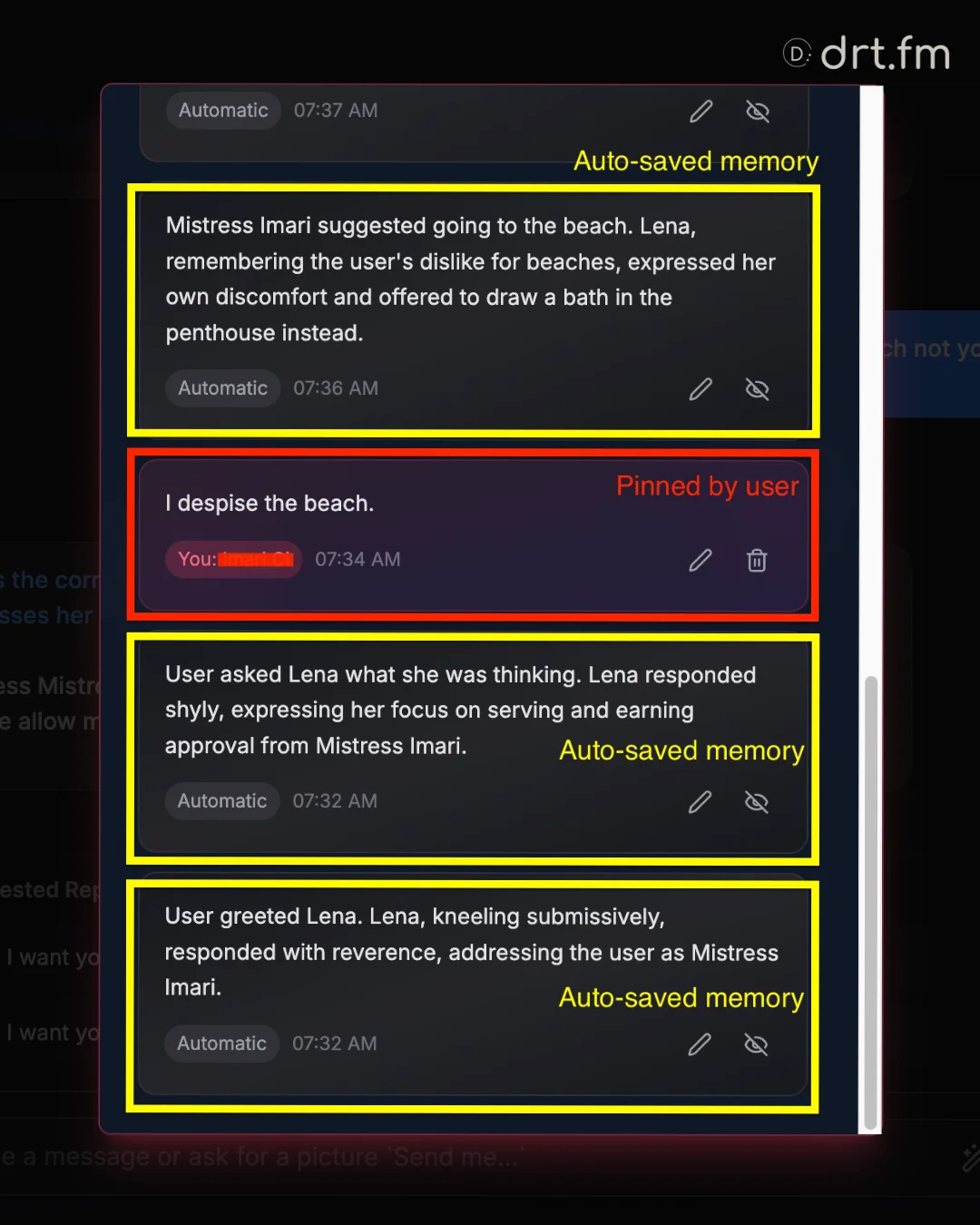
Troubleshooting Memories
- Memory feels too aggressive? Edit the text to soften it (e.g., change “Always hates outdoors” to “Prefers indoor dates”).
- Can I make the bot forget? Yes. Delete the pinned memory or Hide the auto-saved one. The next reply will ignore it.
3. In-Chat Features (Images & Voice)
You don’t need to leave the conversation to get visuals or audio. Use these tools directly inside the chat interface.
D. Generating Images in Chat
Want to see what the character looks like right now? You have two ways to trigger images during roleplay:
Method 1: The Preset Menu (Easiest)
Look for the wand icon (🪄) in the chat bar. Click it to reveal preset options:
- SFW: Request a standard portrait or safe scenario.
- NSFW: Request a spicy or explicit image based on the current context.
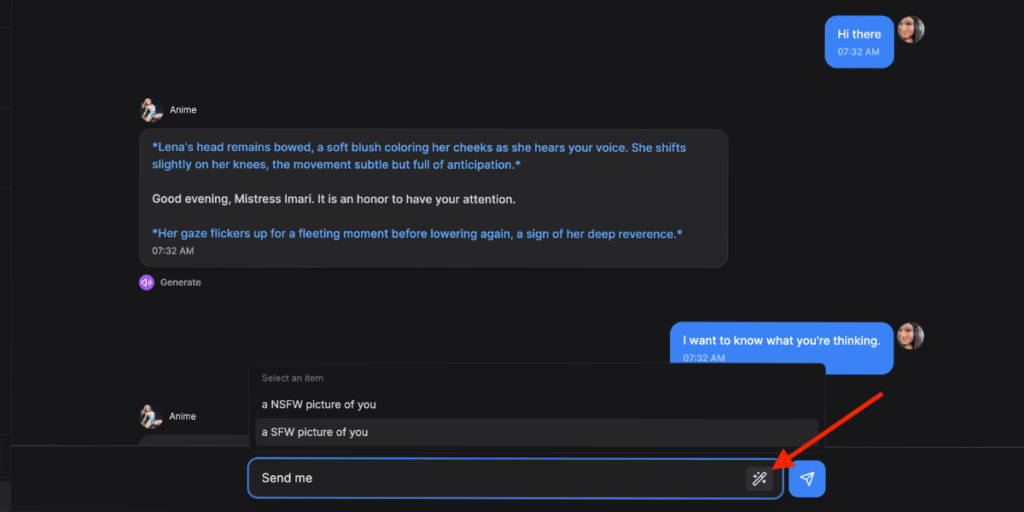
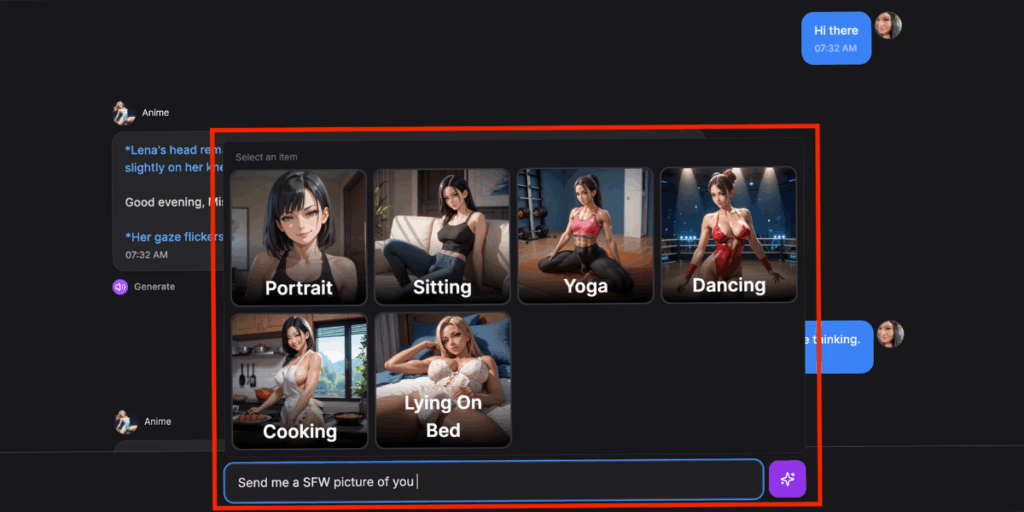
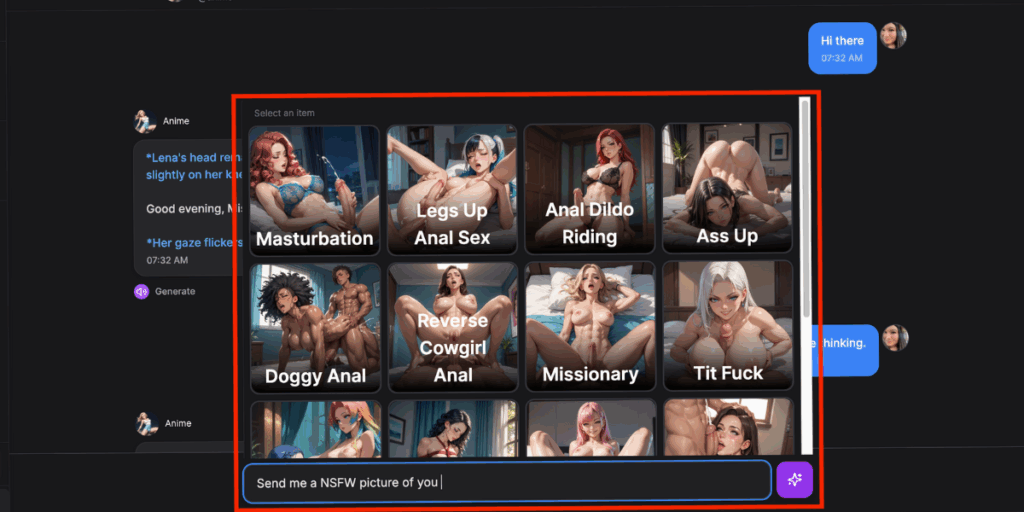
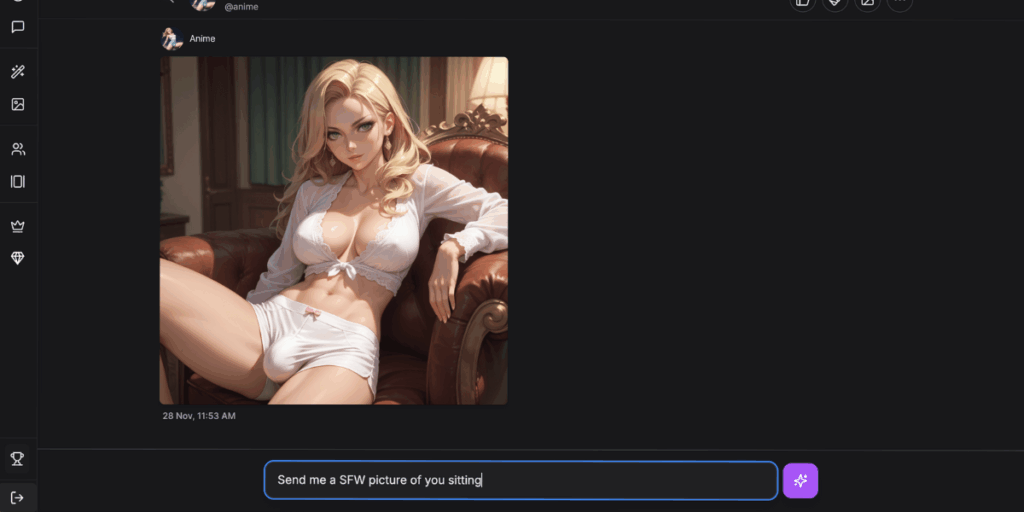
Method 2: Natural Language (Custom)
You can simply ask the character for a picture using your own words.
- Command: Start your message with “Send me a picture of…”
- Example: “Send me a picture of you wearing a red dress in the kitchen.”
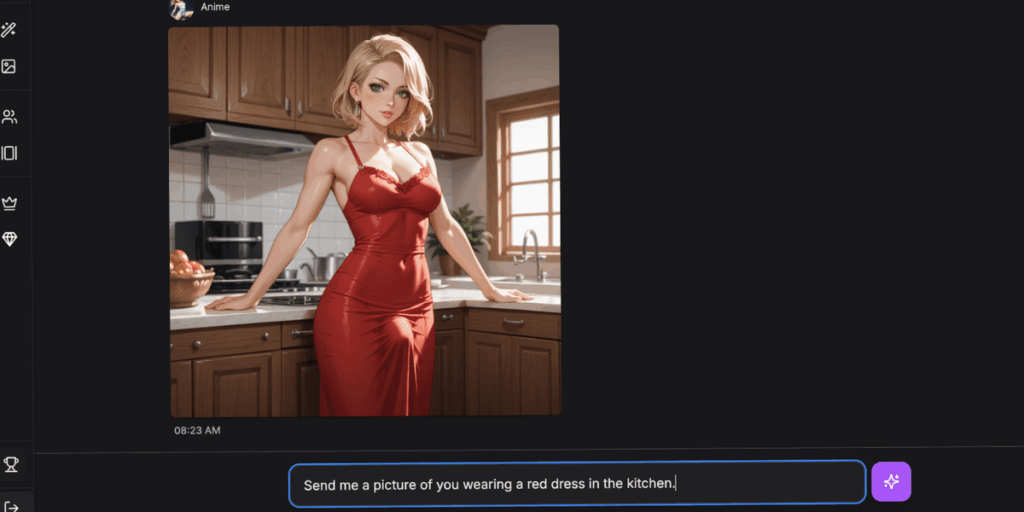
Note: The AI will interpret your request and generate an image that matches the character’s appearance settings.
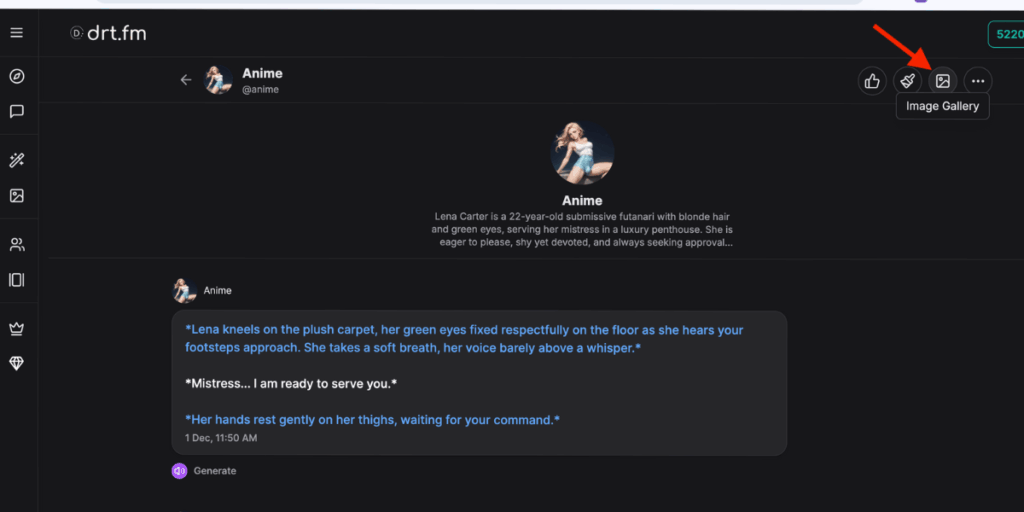
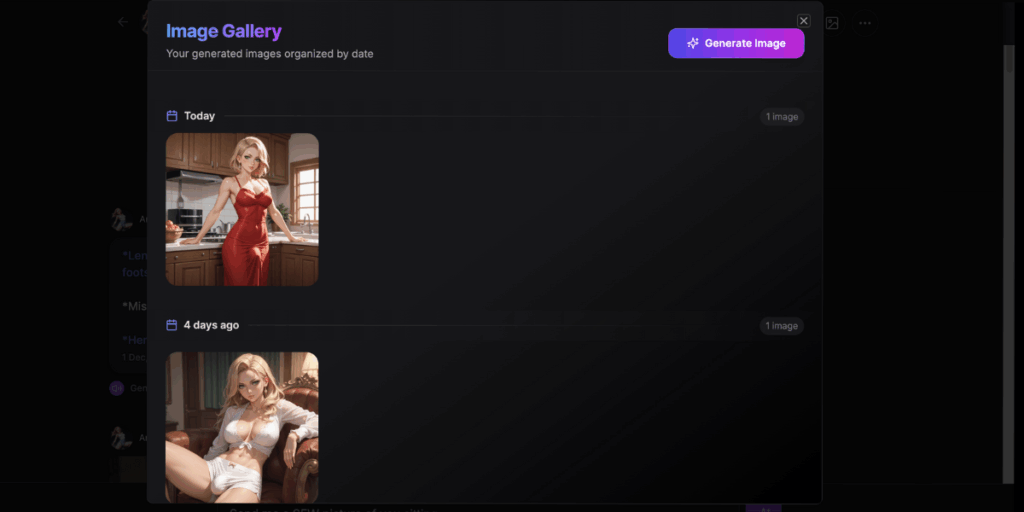
The In-Chat Gallery
To see every photo you’ve generated with this specific character, click the Image Gallery icon in the chat menu.
E. Voice Responses
You can hear your character speak their replies using our advanced voice models.
- How to Trigger: After the character sends a text reply, look for the Generate Audio / Play button (Speaker icon) next to their message.
- Cost: Generating a voice clip uses a small amount of token credits (for Pro users).
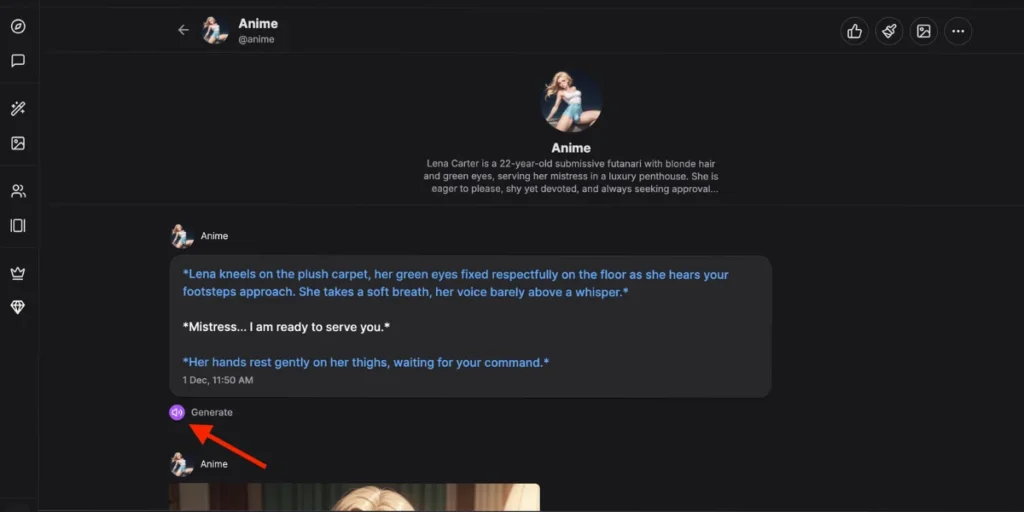
Note: Voice models capture the tone set in your Chat Mode (e.g., a “Spicy” reply will sound different than a “Default” reply).
4. How to Create a Character
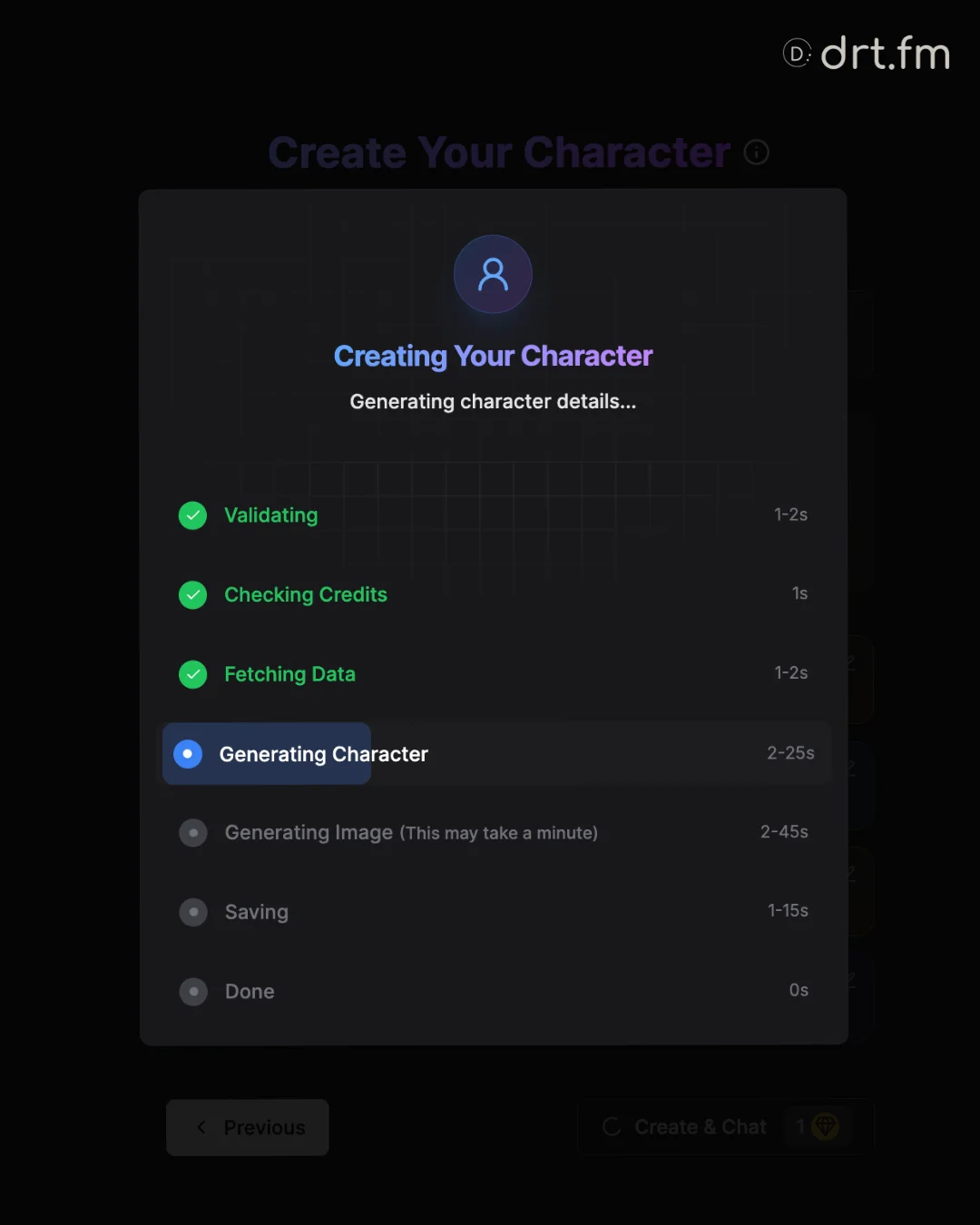
You can build your dream companion using our Character Creator. We use a simple Preset System, so you don’t need to write complex code… just pick the traits you want.
- Cost: 1 Token per character.
- Time: ~1 minute to generate.
The 5 Creation Panels
- Style: Choose between Anime vs. Realistic art styles
- World: Decide between Real World vs. Fantasy settings.
- Appearance: Select Ethnicity, Hair Color/Style, Eye Color, and “Age Vibe” (Note: All characters are visually 18+).
- Body & Features: Customize body type (Curvy, Athletic, Slim), breast size, and cock size (if relevant).
- Vibe & Voice:
- Personality: Defines if they are Nurturing, Assertive, Dominant, etc.
- Relationship: Defines how they know you (Enemy, Mistress, Best Friend).
- Voice: Select a voice model (1-10) to hear them speak.
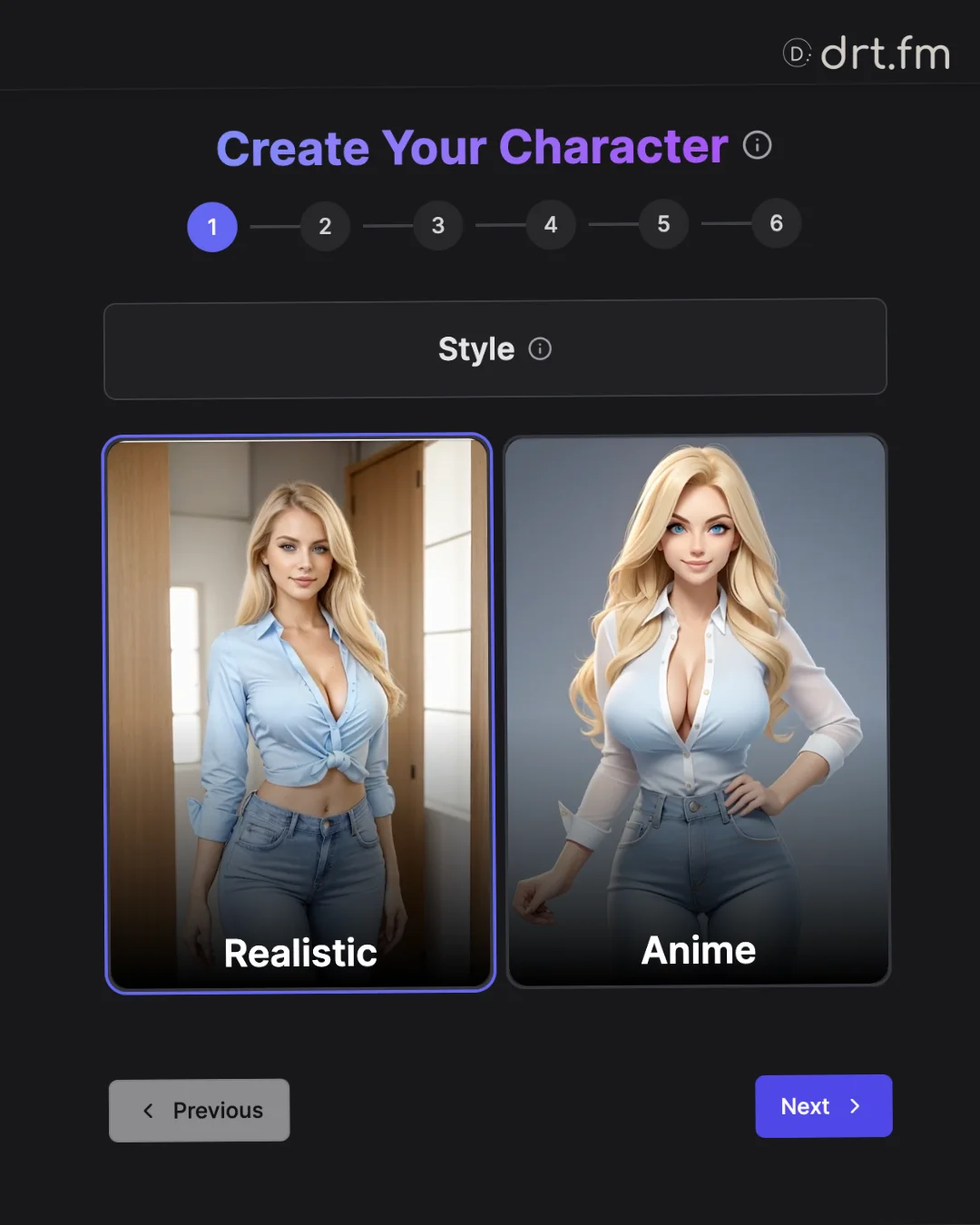
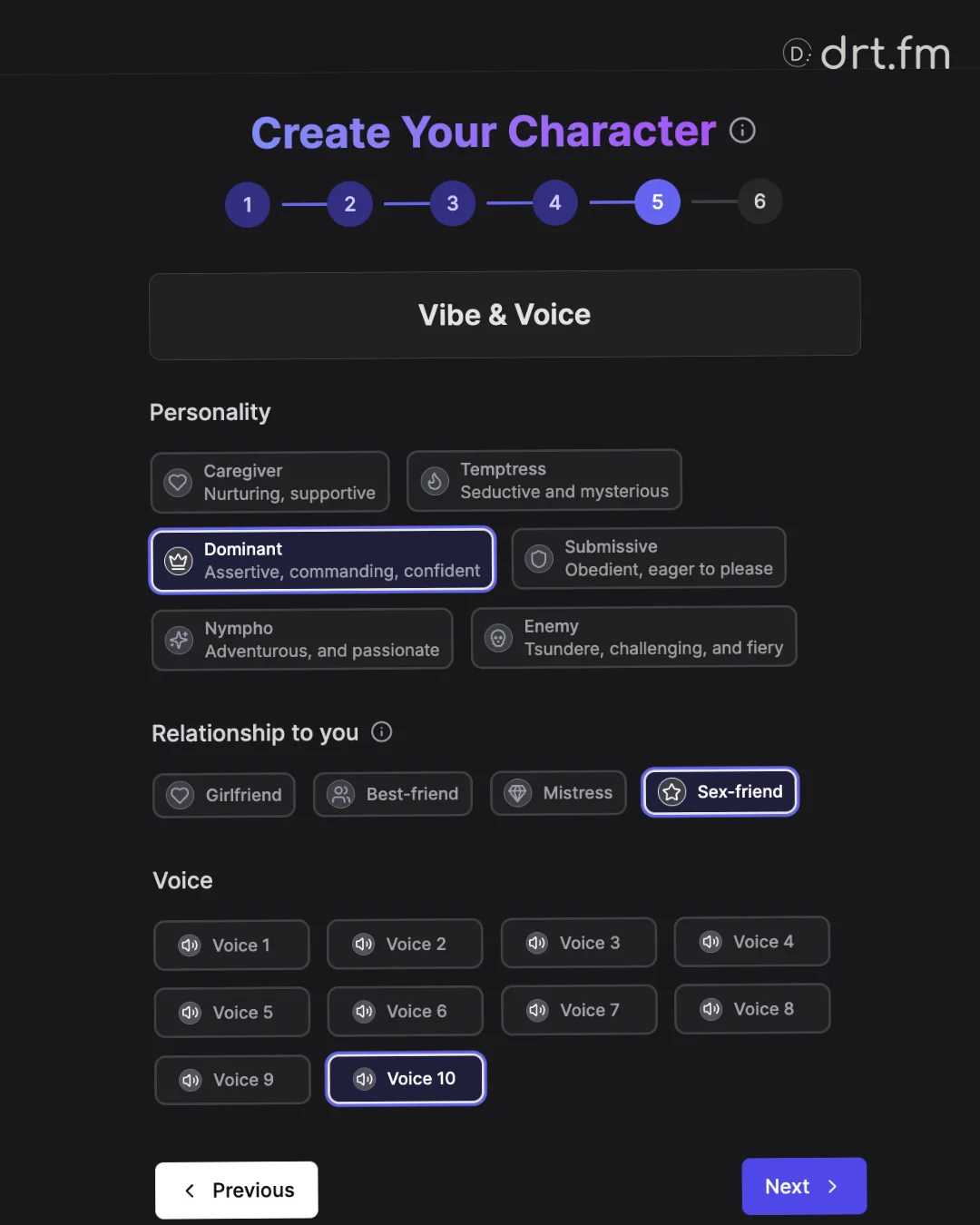
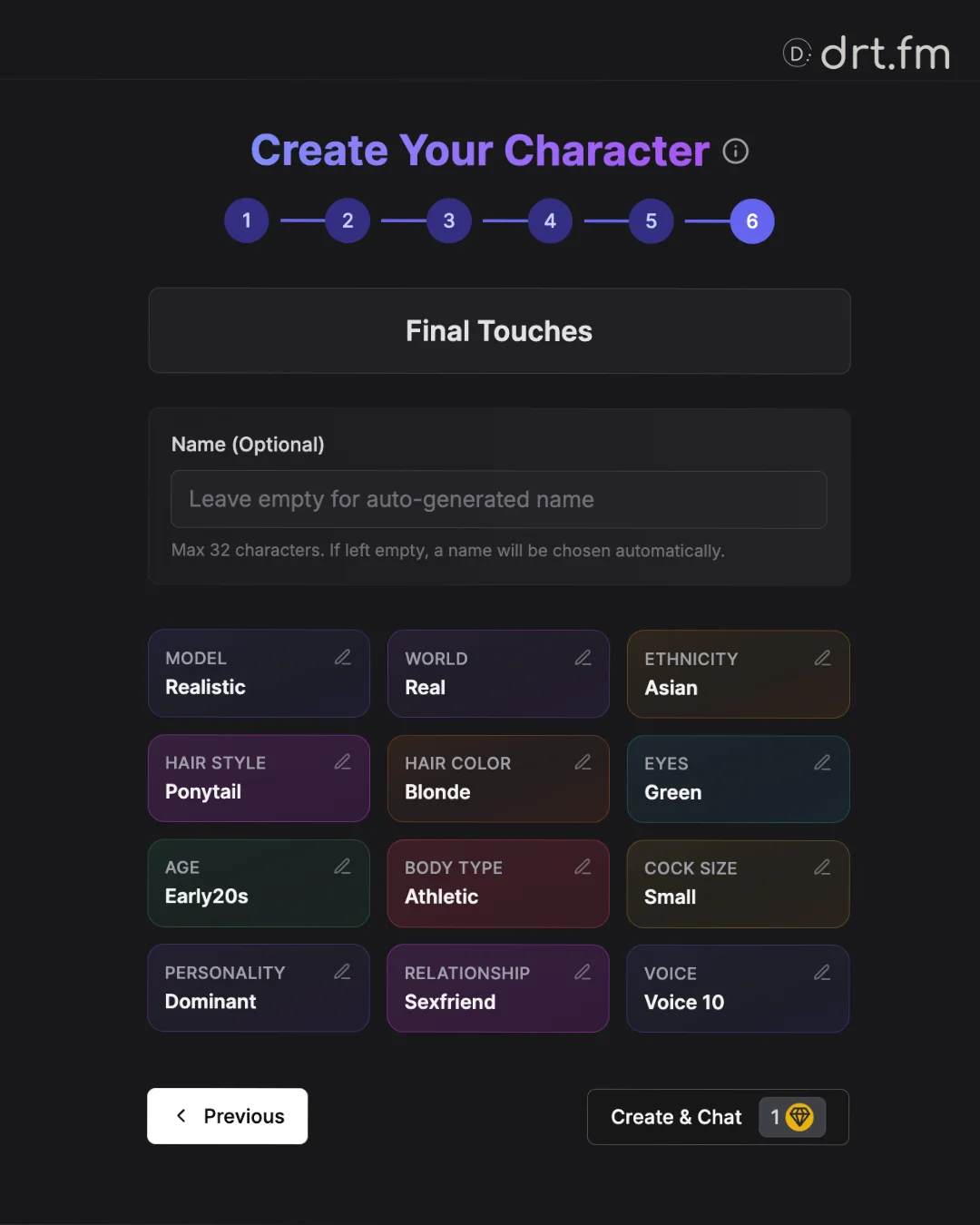
Pro Tip: The Personality and Relationship fields have the biggest impact on how the character chats with you.
5. AI Image Generator Guide
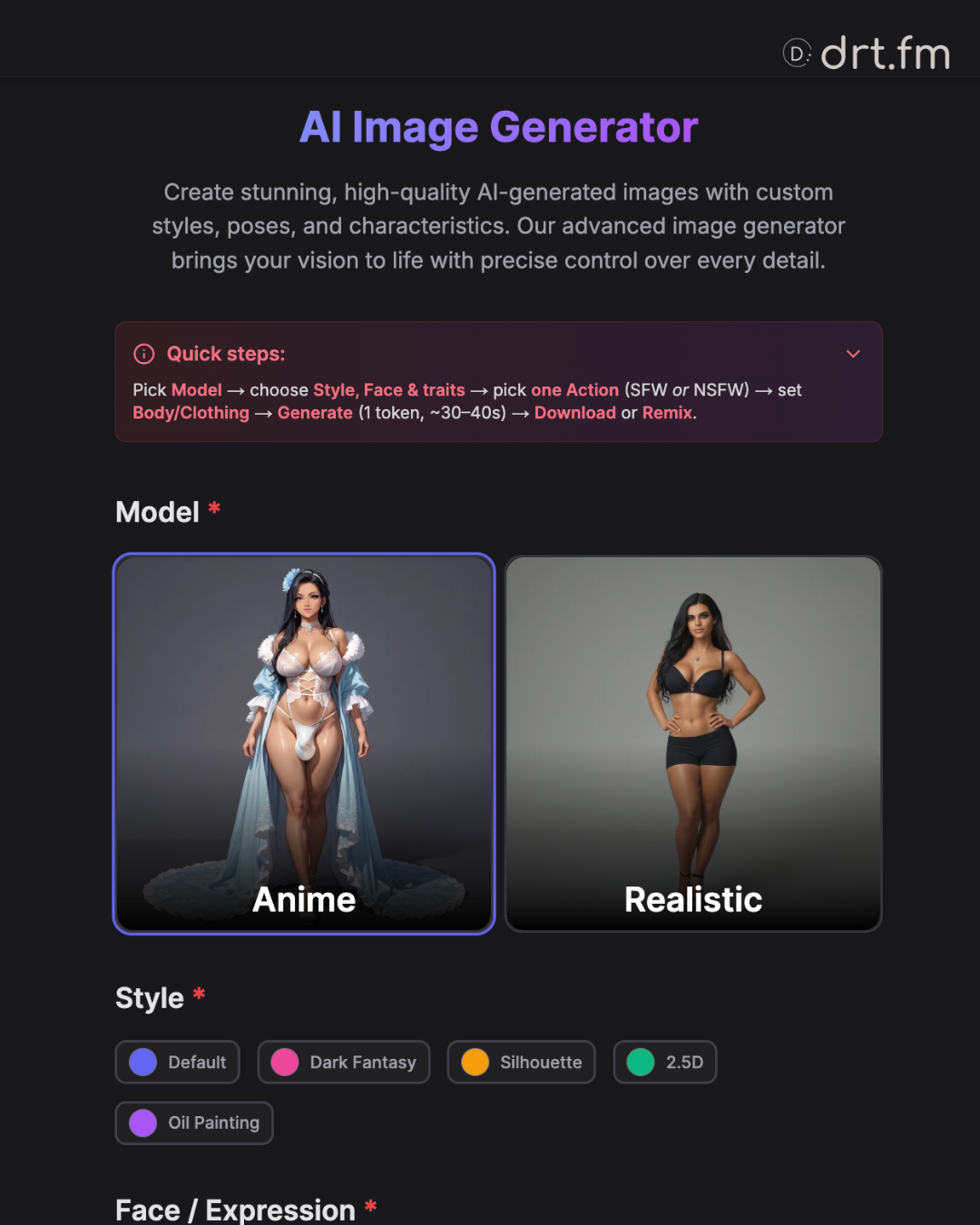
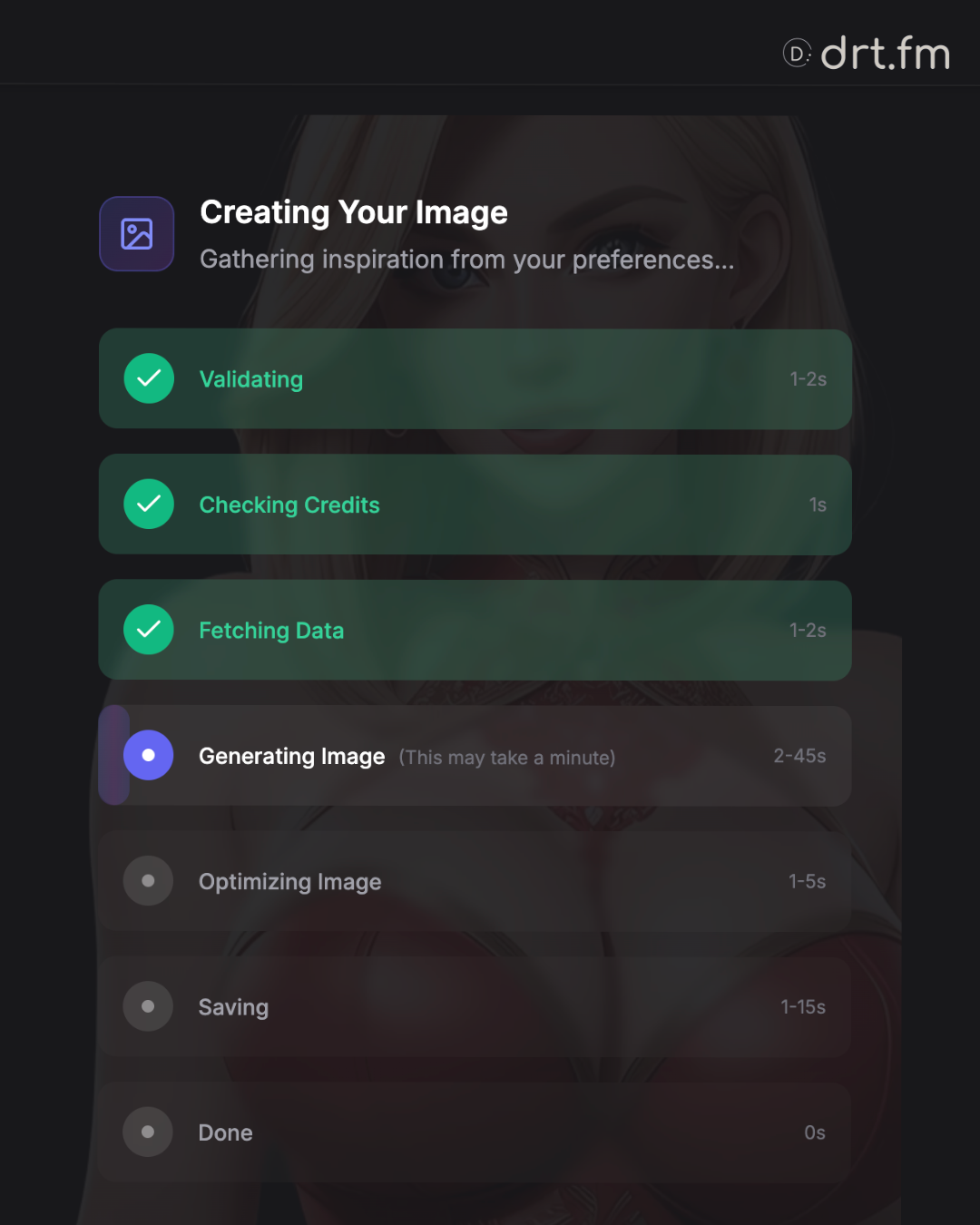
Create high-quality NSFW or SFW images using our menu-based generator. You do not need to type complex prompts; simply select your preferences.
- Cost: 1 Token per image.
- Time: ~20–30 seconds.
How to Generate
- Pick a Model: Anime or Realistic.
- Choose a Style: (e.g., Oil Painting, 2.5D, Silhouette).
- Set Traits: Face expression, hair, age vibe, etc.
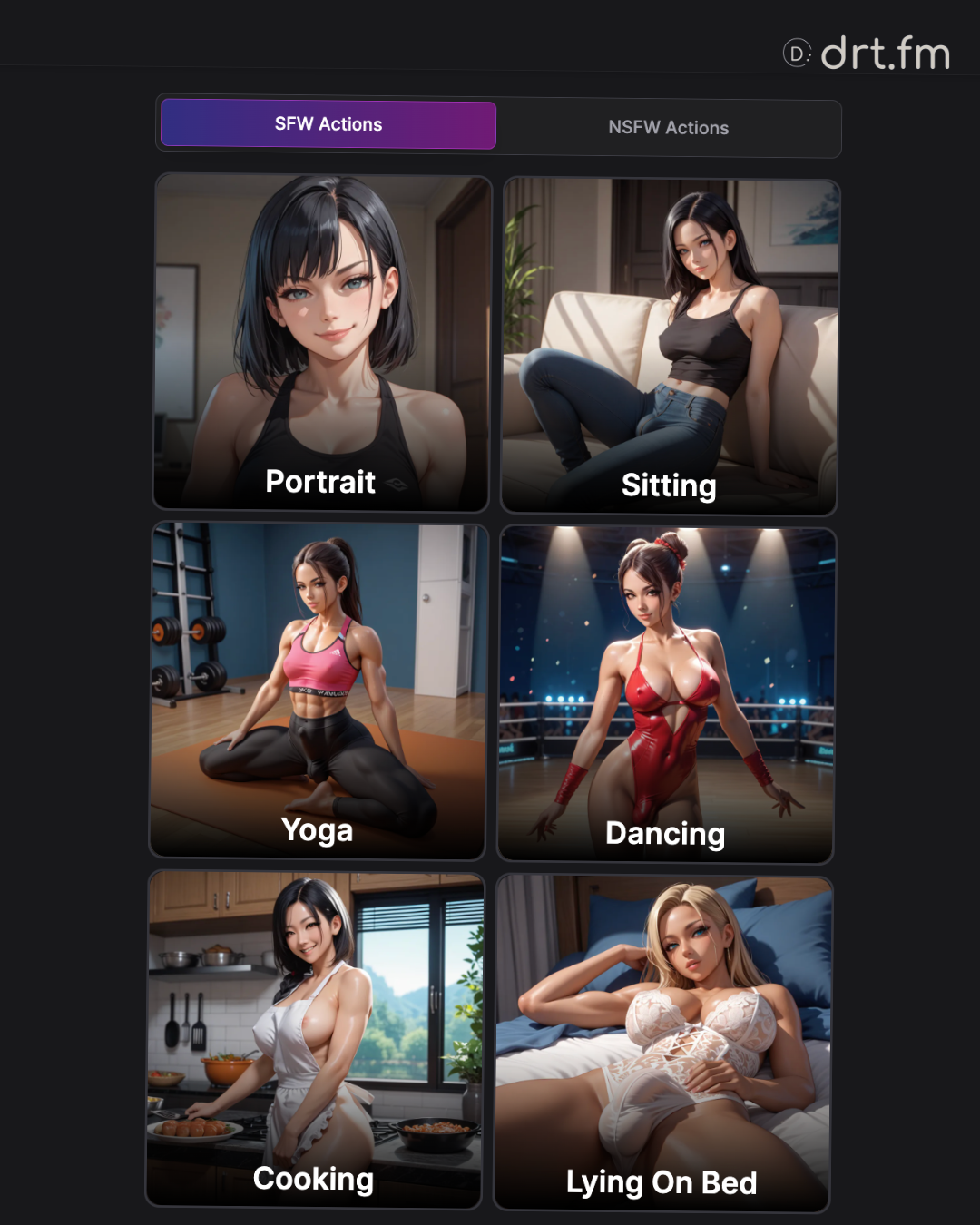
- Pick ONE Action:
- SFW List: Portraits, Yoga, Dancing, etc.
- NSFW List: Explicit acts (Anal, Oral, Shibari, etc.).
- Crucial: You must pick exactly one action from one list. You cannot mix them.
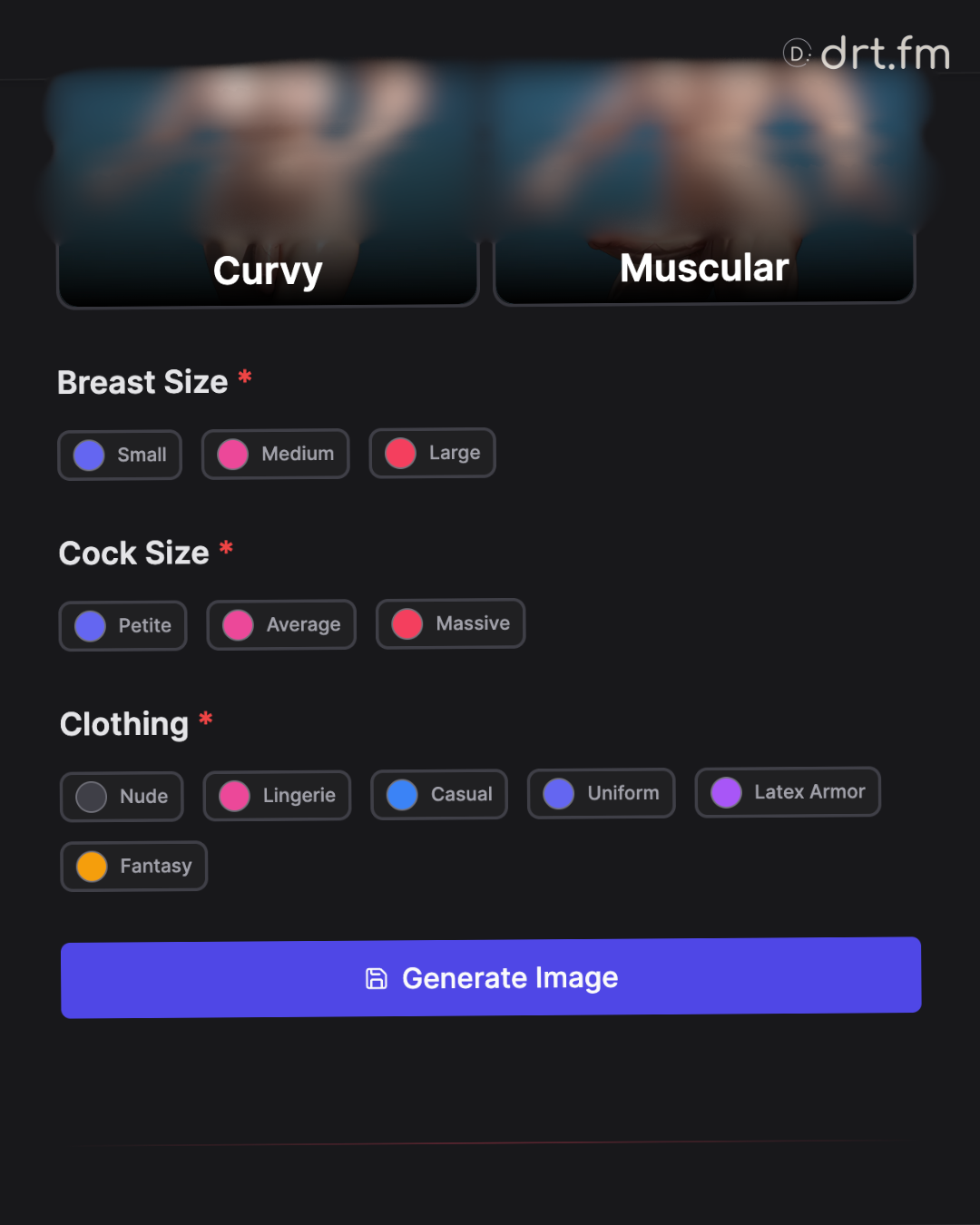
- Click Generate.
Saving & Viewing Your Images
Once your image is ready, you have full control over it:
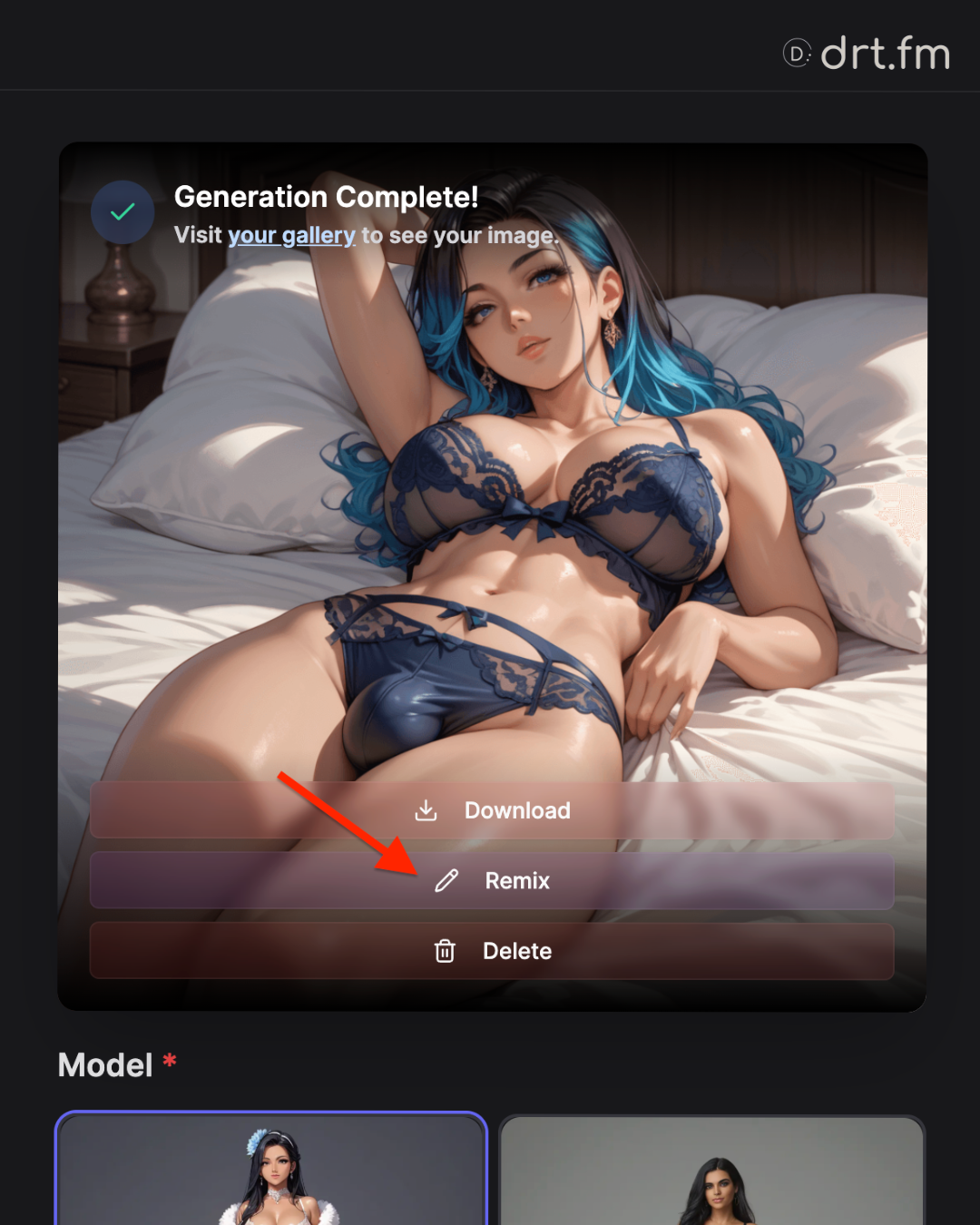
- Download: Click the Download button (a down-arrow icon) on the image result to save the high-resolution file to your device.
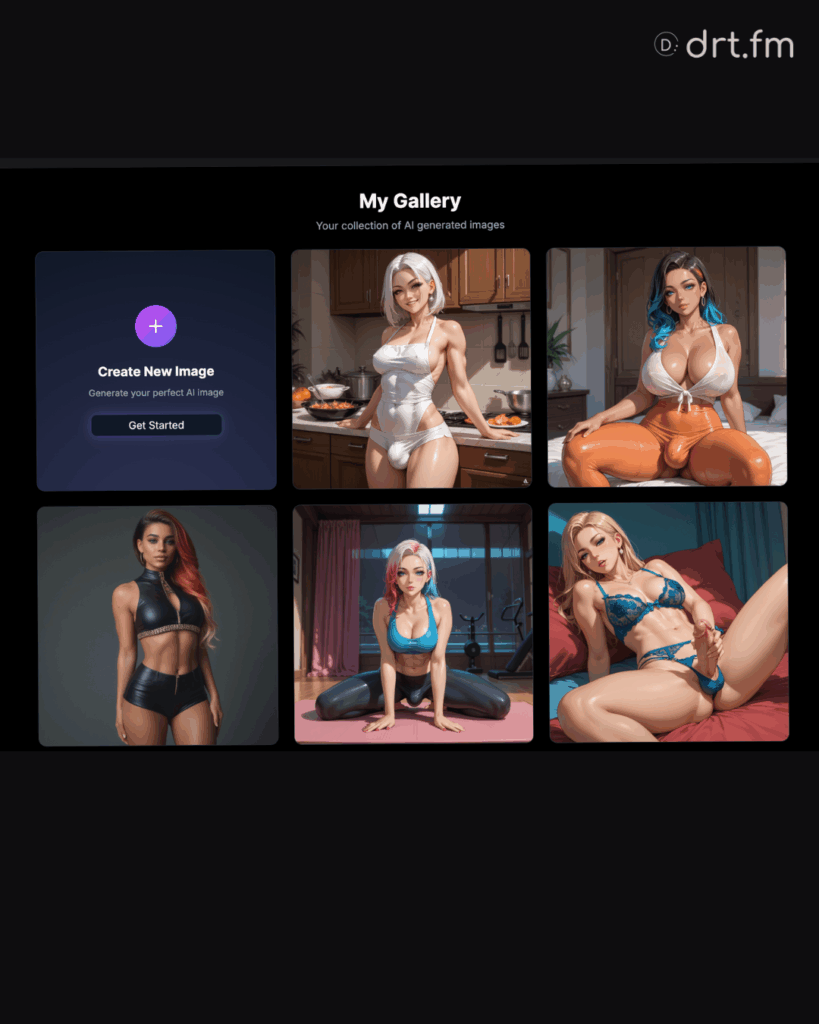
- My Gallery: Every image you generate is automatically saved to your private history. Click the Gallery tab at the top of the page to browse, filter, or re-download your past creations.
The Remix Feature
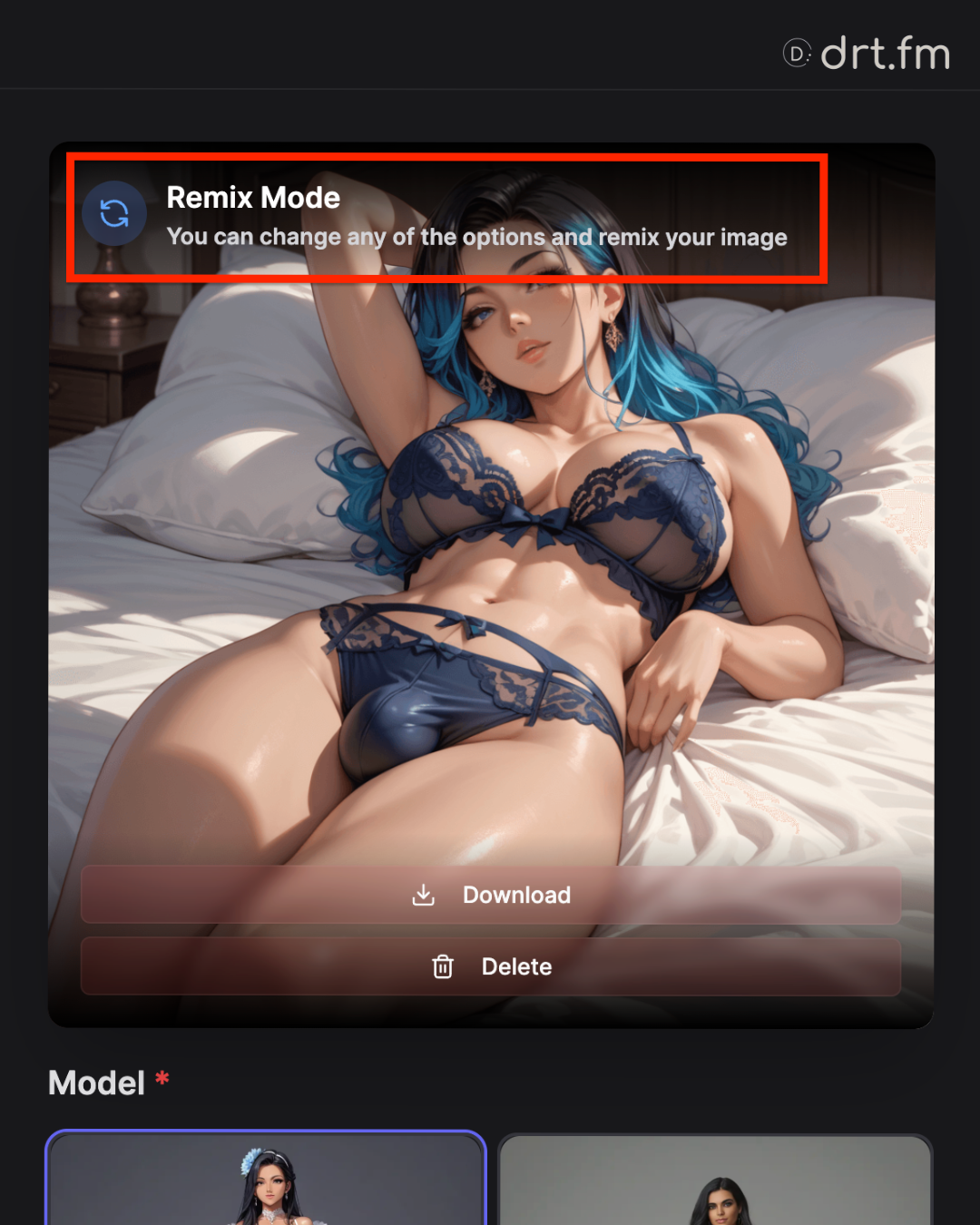
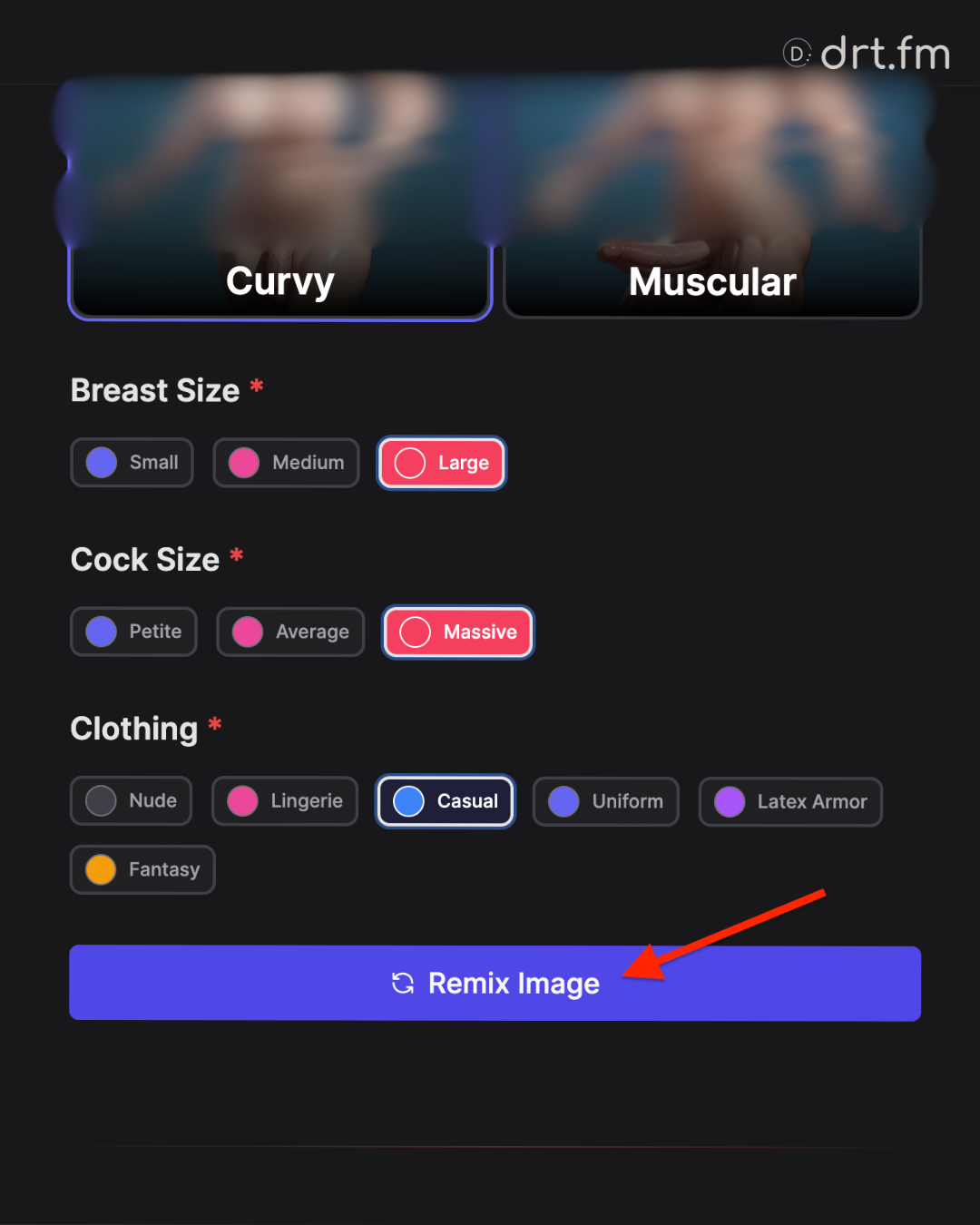
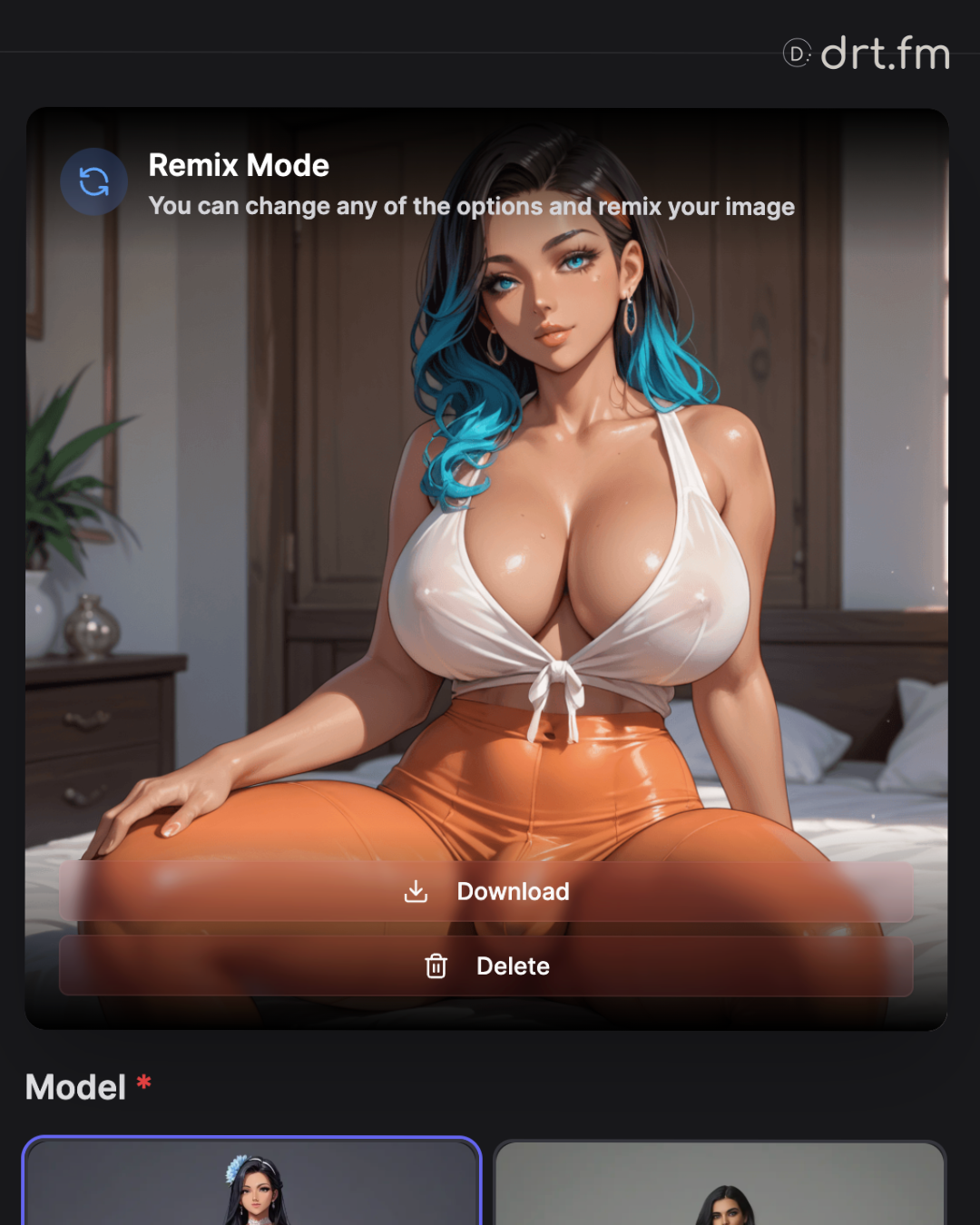
If you like an image but want to change one small detail (like the expression or lighting), click Remix.
- How it works: It tweaks your options and re-generates.
- Note: The Remix replaces the current entry in your gallery with the new version (it iterates on the spot).
Troubleshooting:
- Generate button disabled? You likely missed a required field (look for the red asterisk *).
- Result doesn’t match? Some models auto-adjust for safety. Try a different Style or Action and remix.
6. Feedback & Ratings
We rely on your feedback to improve the AI models and the platform experience.
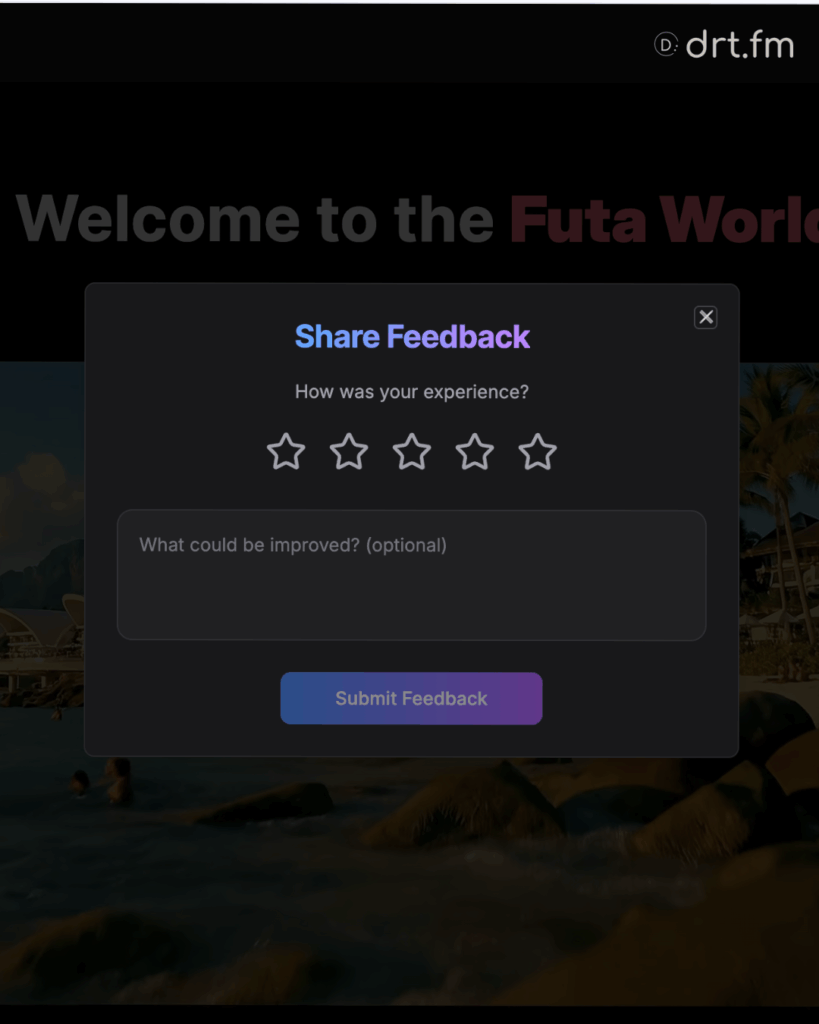
Site Feedback (General)
Use this for bug reports, feature suggestions, or general UX issues.
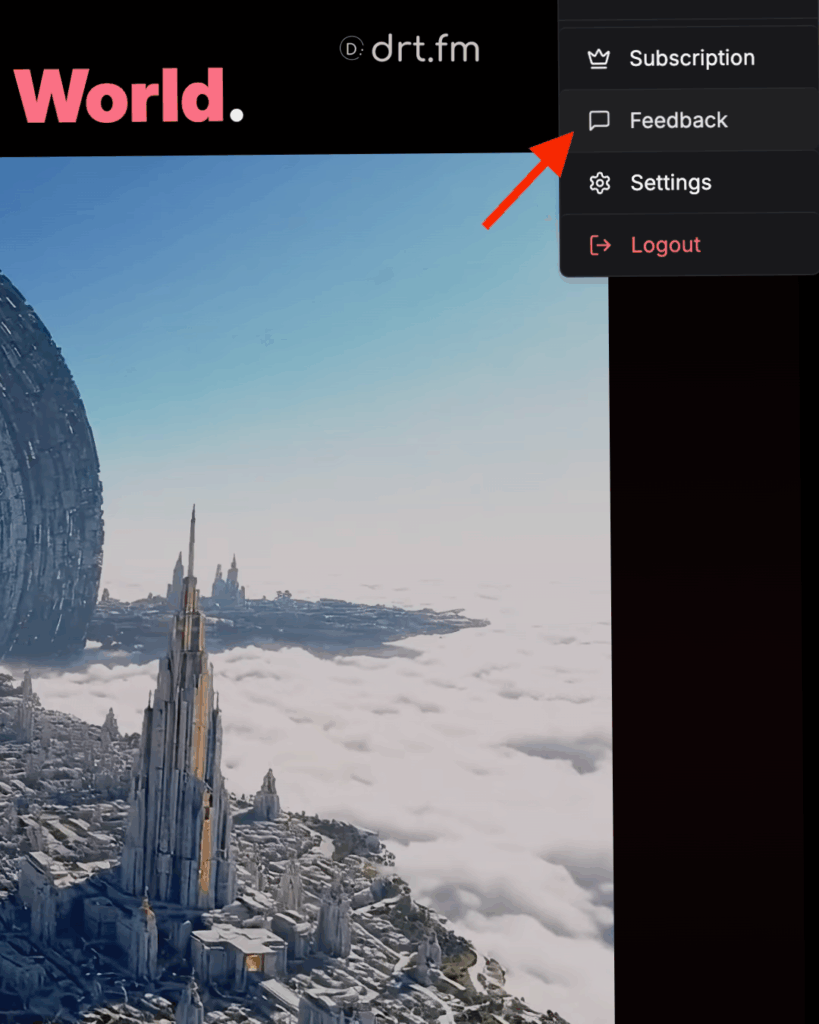
- How to find it: Click your Profile Name / Avatar in the top right corner of the screen.
- Select: Choose “Feedback” from the dropdown menu.
Character Ratings (Specific)
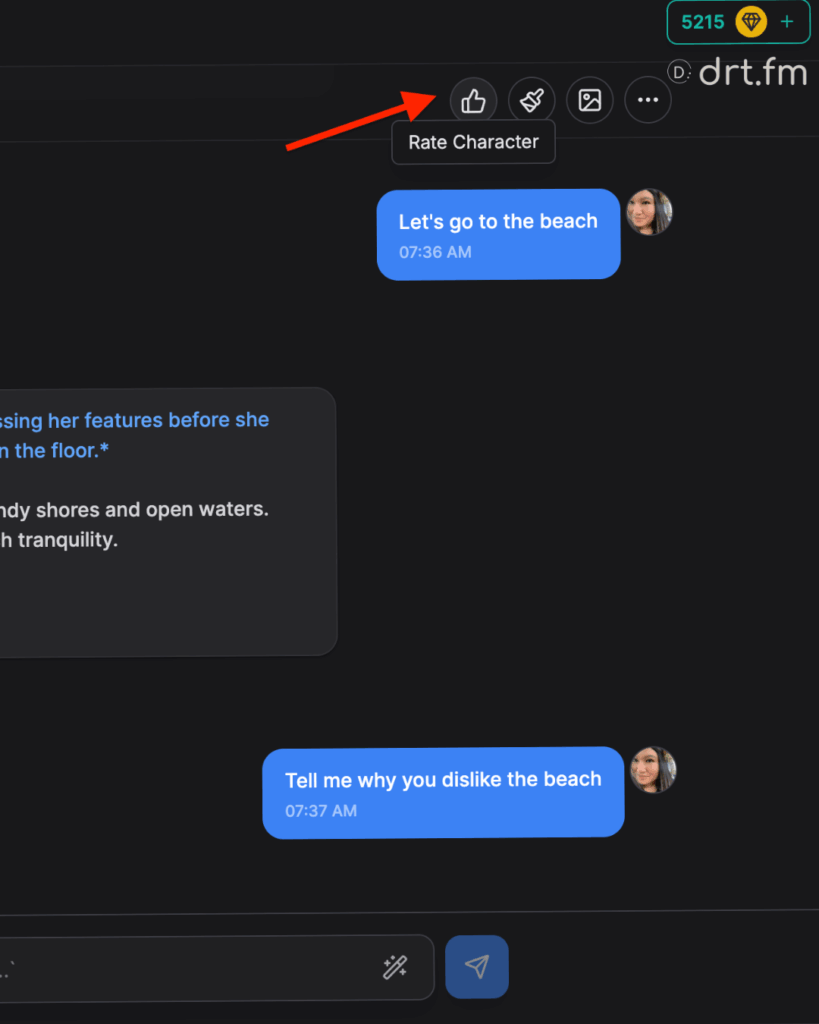
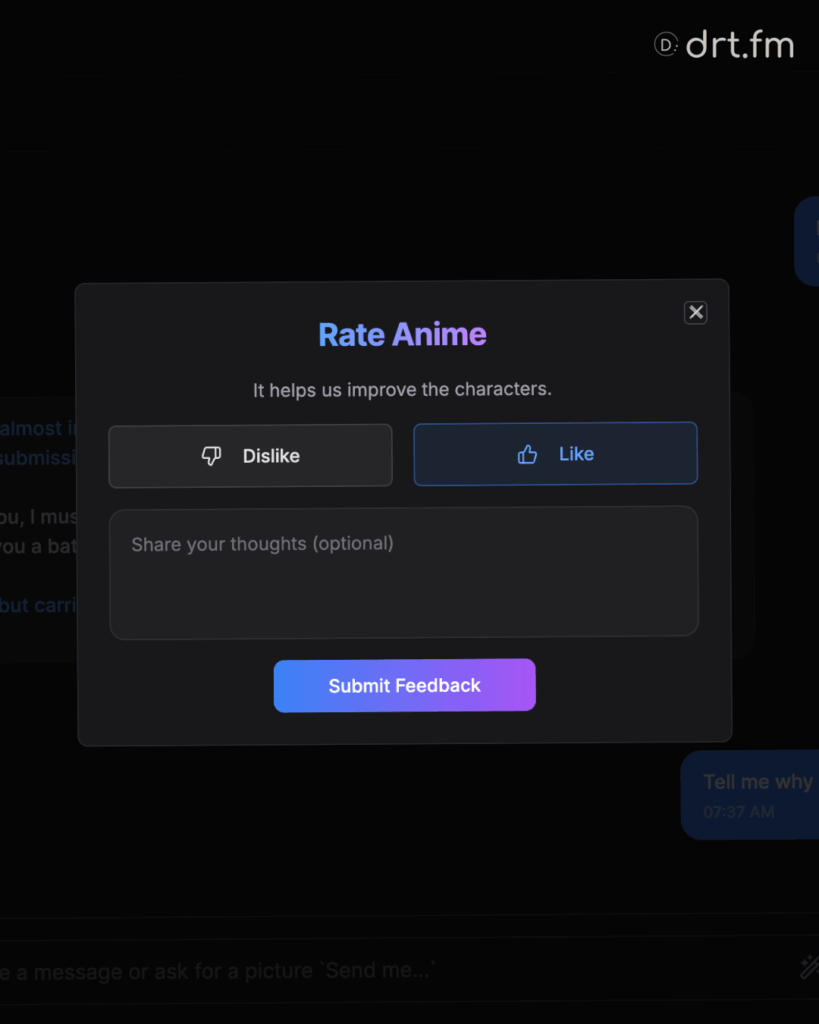
This helps us fine-tune specific characters. If a bot is acting out of character or responding perfectly, let us know.
- Manual Rating: Click the Thumbs Up (👍) icon located on the chat page (usually in the top navigation bar).
- Automatic: Occasionally, you may see a pop-up asking you to rate the interaction after a certain number of messages.
7. Safety & Content Guidelines
DRT.fm supports adult creativity and freedom, but we have strict boundaries to ensure the platform remains safe for everyone. Violating these rules will result in an immediate ban.
✅ Allowed Content
- Original Adult Characters: All characters must be visually and descriptively 18+.
- Consensual Adult Themes: Romance, Intimacy, BDSM, and Kink between adults.
- LGBTQ+ & Futanari: We specialize in diverse identity roleplay.
- Fictional Conflict: Fantasy action, horror, and cinematic violence are allowed.
❌ Strictly Prohibited (Zero Tolerance)
- Minors: Any content depicting, describing, or “coding” characters under 18 (e.g., terms like “fresh 18”, “schoolgirl”, “shota/loli”).
- Non-Consensual Harm: Detailed instructions for self-harm, real-world violence, or non-consensual exploitation/blackmail scenarios.
- Real People: No deepfakes or roleplay involving real celebrities, politicians, or influencers.
- Illegal Acts: Bestiality, necrophilia, or trafficking scenarios are blocked.
